
Two ways to stay private
Most apps do one. CodeInbox does both.
Temporary numbers for SMS codes
Pick a service, pick a country, get a number. The incoming SMS appears in the app.
Temporary email addresses
A disposable inbox in one tap. Read the message, copy the code, move on.
How it works
From sign-up to code in four taps.
- 1
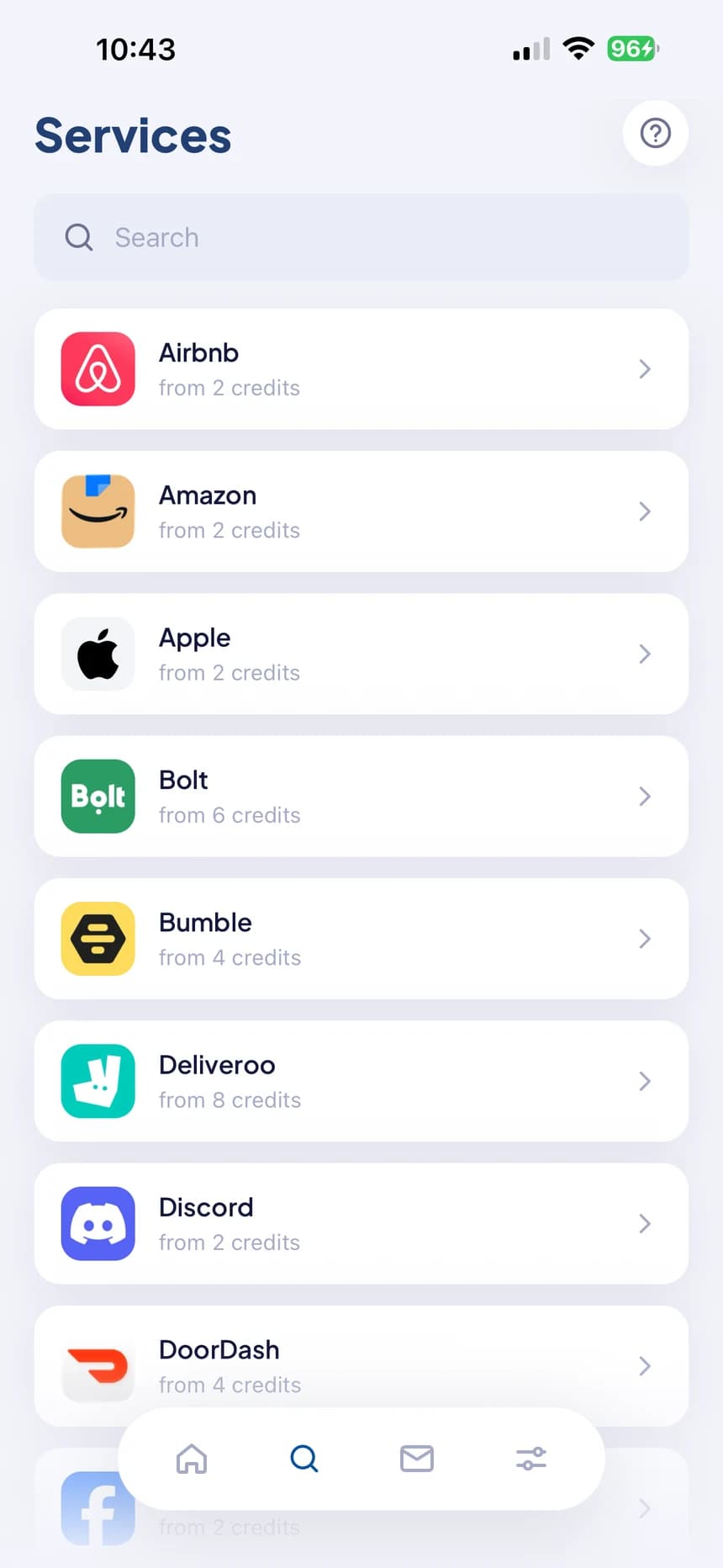
Choose the service
Pick the app or site you’re signing up for.
- 2
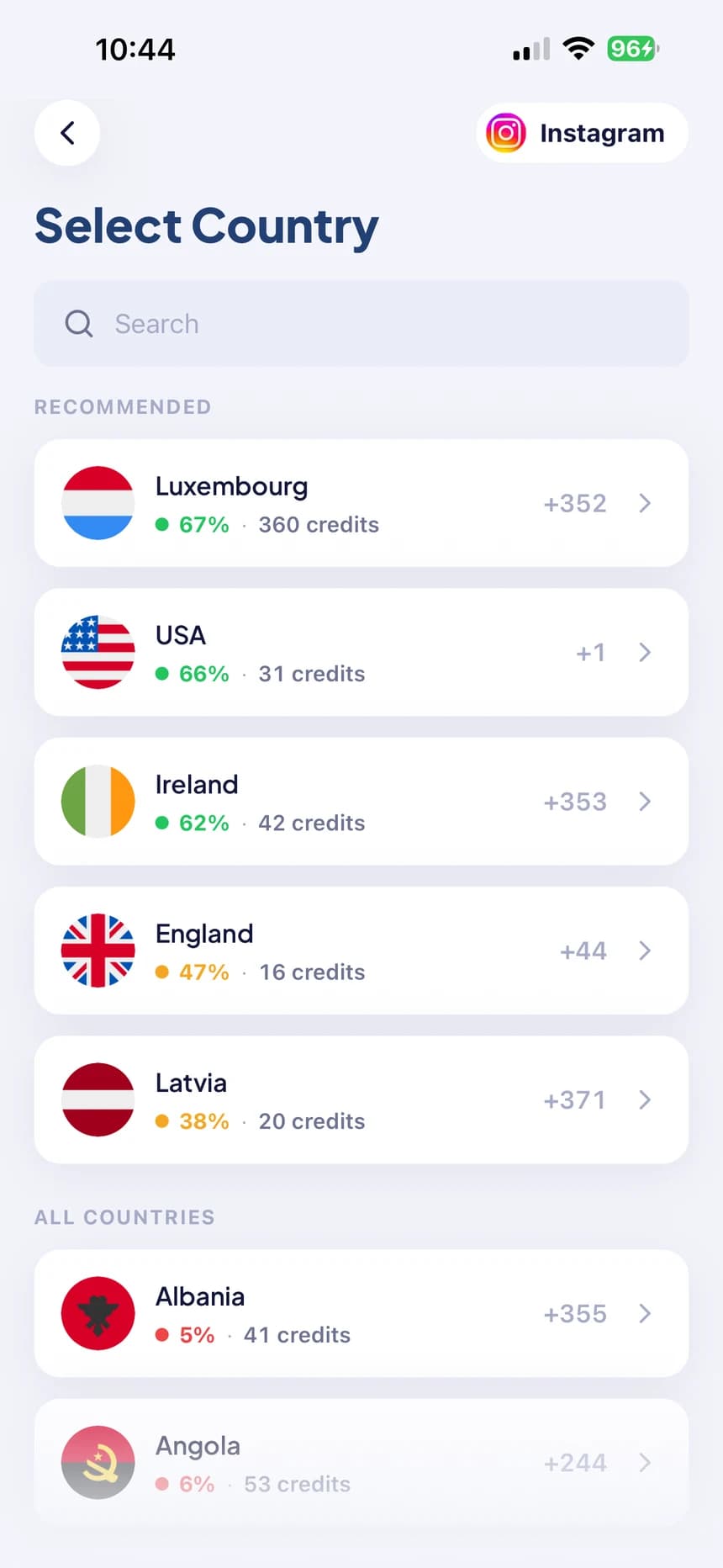
Choose a country
Price and live success rate are on screen.
- 3
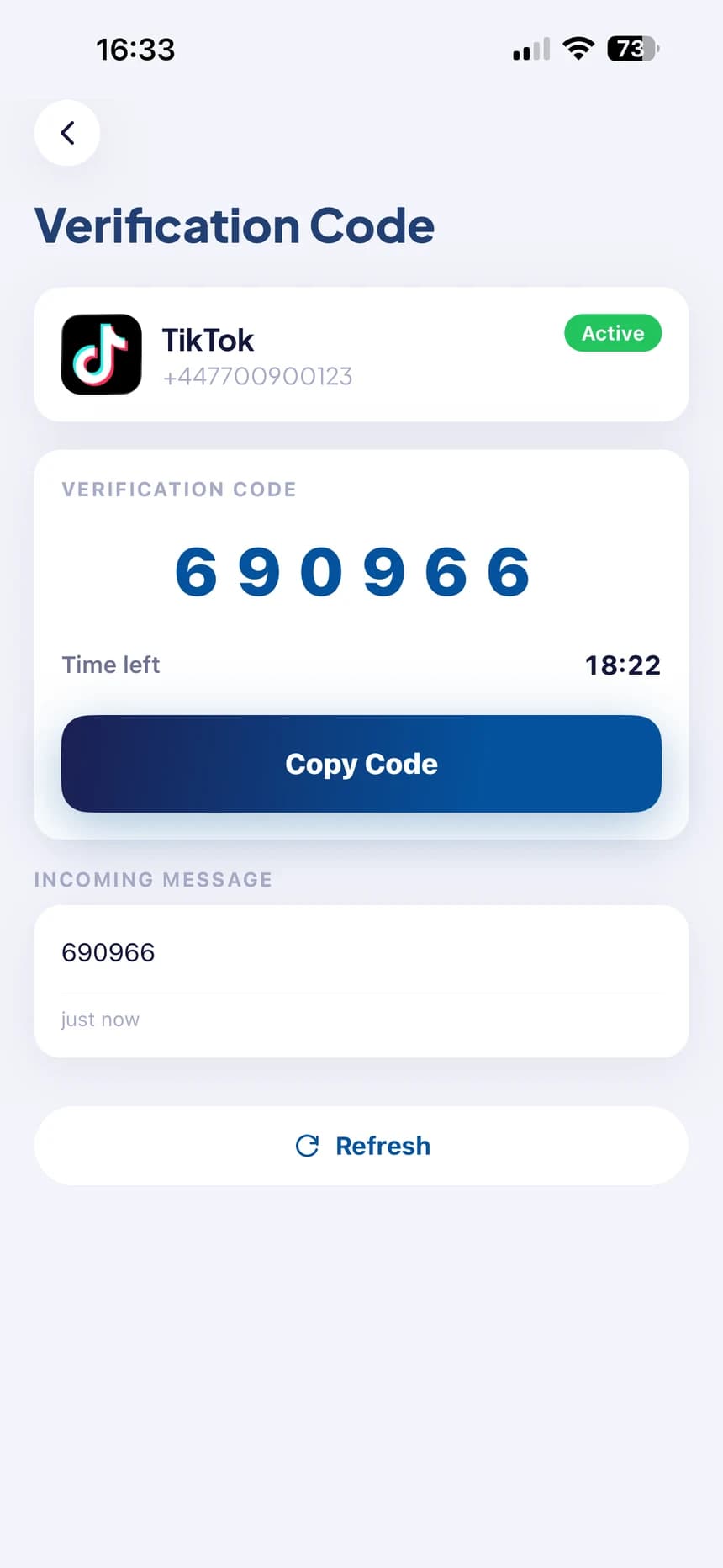
Get the code
The SMS lands in the app. Copy it with one tap.
- 4
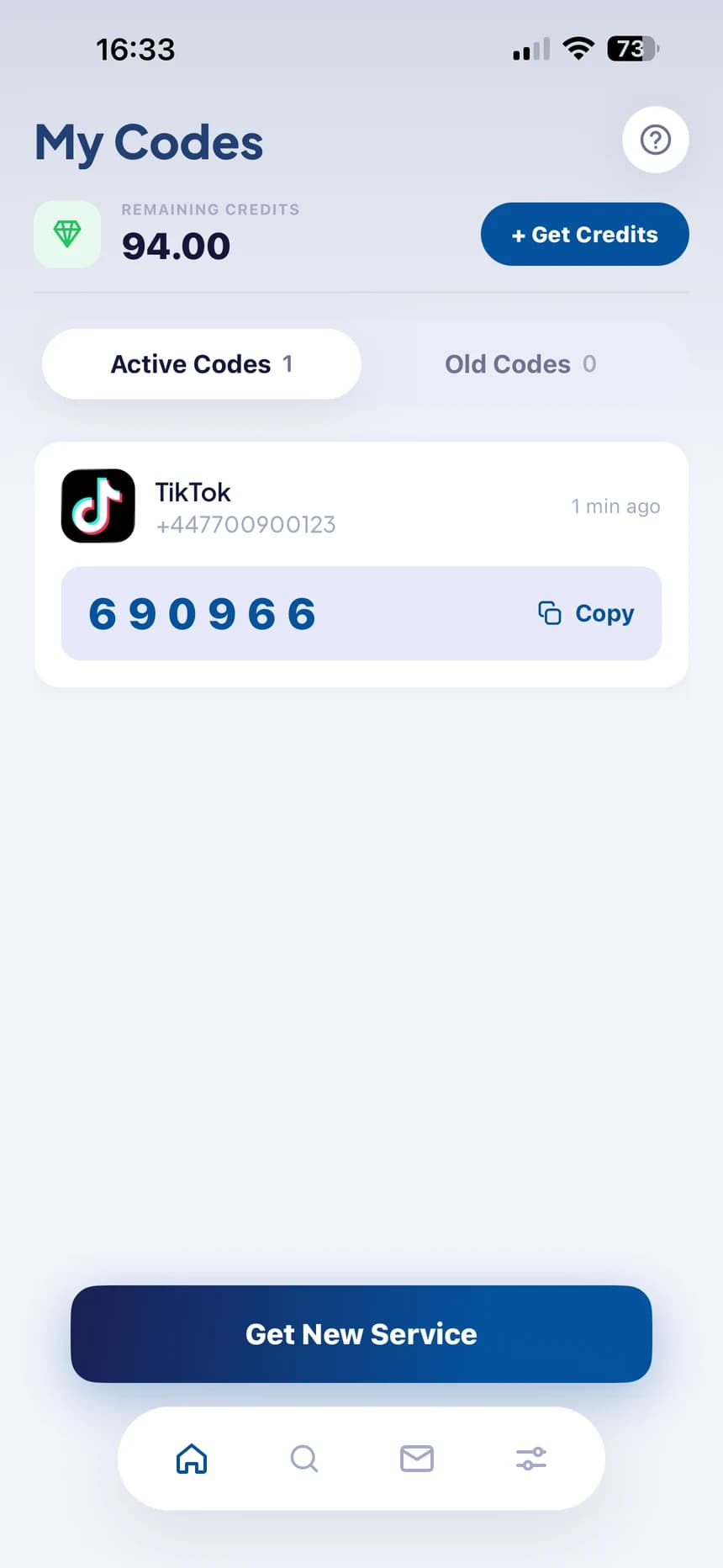
Keep them handy
Active and past codes stay in your list.
Know before you pay
See what works — then choose.
Every operator shows its real success rate and its price, so you can pick the one that delivers. Or tap Automatic and let the app decide.
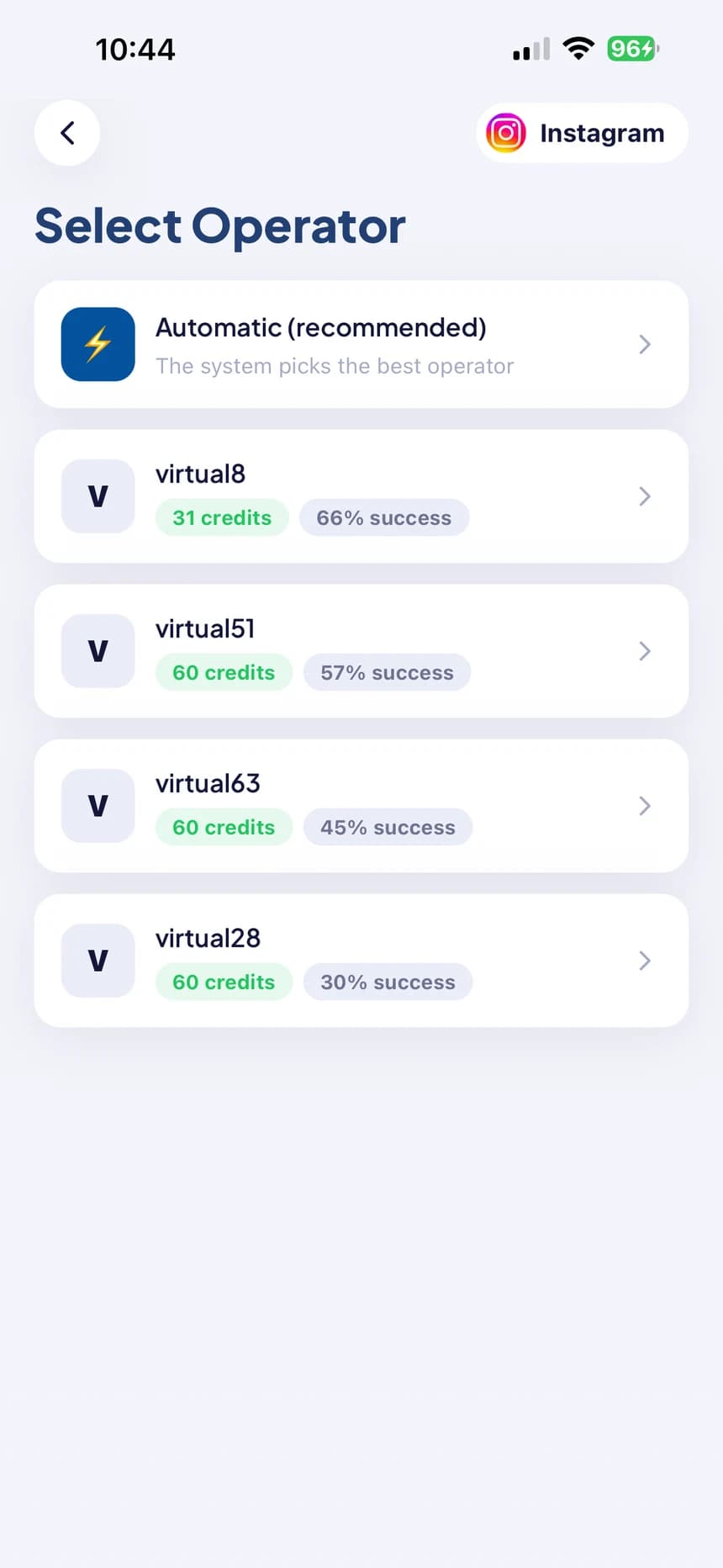
Success rate before you pay
Every country and operator shows its real delivery rate and price in credits. No guessing.
No code, no charge
Cancel before the code lands and your credits come straight back. If a number expires empty, the refund is automatic.
Pick the operator — or don’t
Choose the operator yourself, or let the app pick the best one for you.
Change your mind
Swap a number for another one without losing your place, or cancel it entirely.
Nothing ties back to you
Temporary numbers and addresses are released after use. No personal details needed to start.
Addresses clean themselves up
Temporary email addresses are deleted automatically — nothing to manage.
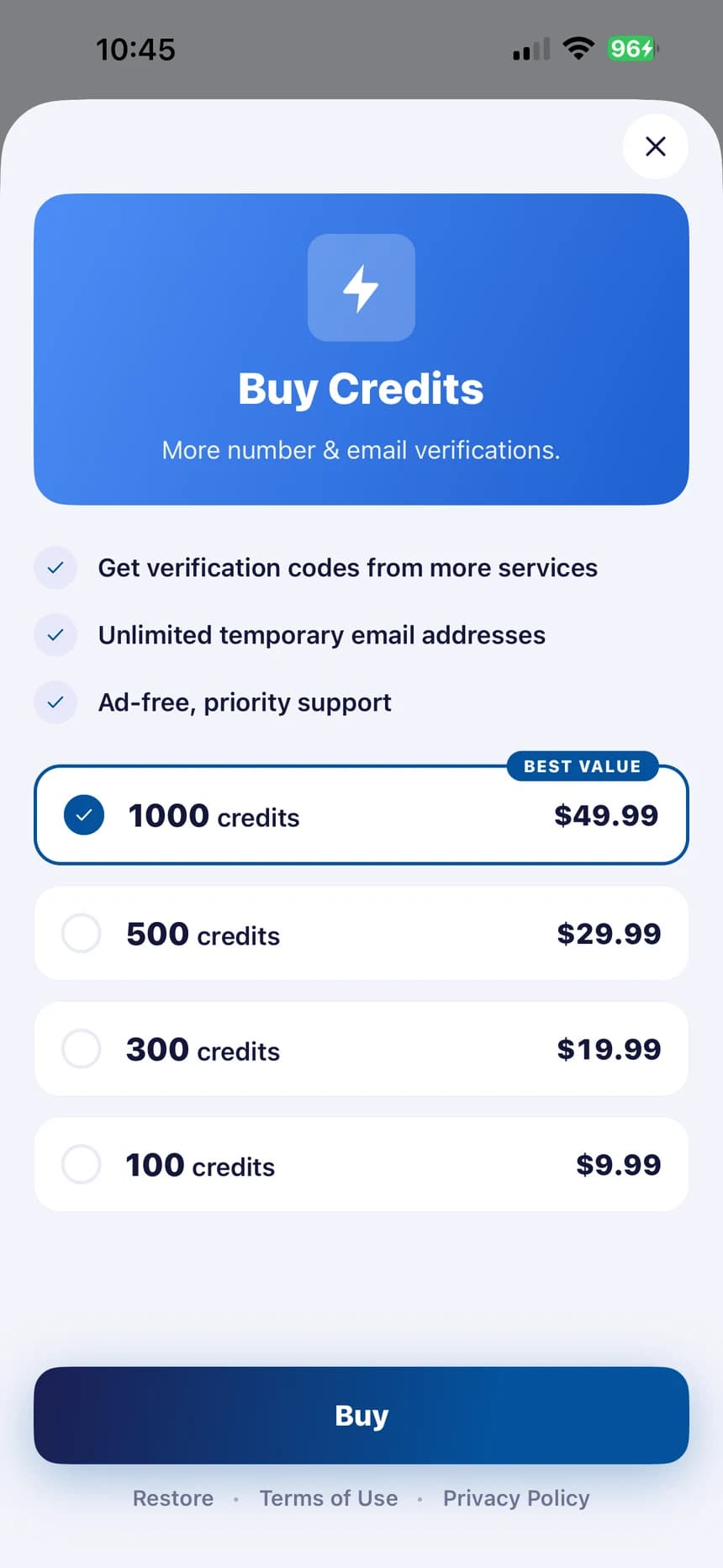
Pay for what you use
Credits, not a subscription.
- Buy a pack, spend it when you need it.
- Keep whatever you don’t use.
- Larger packs cost less per credit.
- No code received? The credits come back.
Questions
What is CodeInbox for?
For any time a service asks for a phone number or an email you’d rather not hand over — signing up, trying something once, or keeping work and personal life apart. You get a temporary number or address and read the verification code inside the app.
What happens if the code never arrives?
You don’t pay for it. Cancel the number before a code lands and your credits come straight back. If the number expires with nothing received, the refund is automatic.
Is it a subscription?
No. CodeInbox uses credits: buy a pack, spend it when you need it, and keep what’s left. Larger packs cost less per credit.
Which countries and services are available?
Many — and the list changes over time, because availability depends on operators. The app always shows what’s available right now, with a price and a success rate for each option.
Can I choose the operator?
Yes. Pick one from the list, each with its own success rate, or choose Automatic and the app selects the best one.
Do I need to share personal details?
No personal details are required to start. Temporary numbers and addresses are released after use.
Your next code is one tap away.
Sign up for anything without handing over your real number or inbox.